Posts

Showing posts with the label React

Coding On Your Android Phone Using Termux

Image
Writing code on Android Termux app Software development is not a task that you can solve in one sitting, it can take you hours to build stuff, and requires a lot of debugging. But to do small things like develop a small feature in your free time when you're away from your laptop is a time hack. You can achieve that by using your phone alone. Here's how. Install Termux All developers or whatever IT guys need is a simple command line tool that you can use to do some operation like editing a file or installing some tool or program on the system. Luckily the Android world is very robust, we have a terminal tool to execute the Linux command line on your phone. The app is called Termux. Although Termux is available on the Android Play Store, it's been long abandoned by the developer, it's still running but no longer maintained. The newest version of Termux is available on the F Droid app store. So the first thing to do is install f droid and install Termux from FDroid in...
How To Use React Ckeditor Upload File Image With Demo and Example Codes

Image
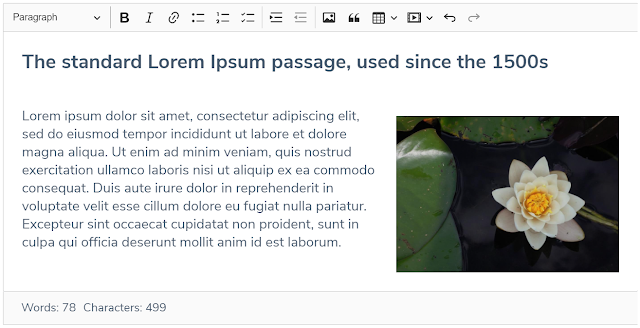
This is a simple tutorial on how you can configure React Ckeditor wysiwyg library to handle file upload when users try to insert a picture into our editor, so the editor will upload the file to the server rather than providing the base64 string the default case by CKeditor.  At first I feel like it may look very easy, and it should be because image upload is a standard feature in the editor so it doesn't need to be that complicated, but it turns out it’s far more complex than I thought. I read somewhere online that some people took days to solve just this problem. Firstable assume you have a backend API that will handle file upload into your server with this criteria. Request curl --location --request POST 'https://YOUR_API/upload_files' \ --form 'files=@"/D:/Pictures/my-image.jpg"' Response {     "filename": "1622085846852.jpg" } Then on the react side, create a custom Ckeditor component that we can reuse that component anywhere on the...

How To Create An HTML Input Date & Time In React

Image
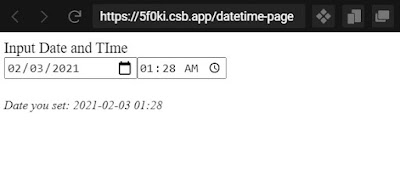
html datetime in react The thing about HTML 5 is that it does have some features that work from different browsers and the other doesn't, the obvious element that is really useful is the HTML input type datetime-local. It works perfectly on Chrome, but unfortunately doesn’t work on Firefox and Safari, if this happened only on an internet explorer or something older, i wouldn’t bother, but Firefox or safari is a major browser with a huge amount of users, so it is something that we need to support in other for our app to be function. So here’s what I came up with using a combination of HTML type date and html type time to create a single react component as a replacement of datetime-local. Here's the full example code on Code Sandbox so you can play with: FULL CODES & DEMO . The idea is just to create a combination of input date and input type which is supported by All major browsers, so there’s nothing fancy here. There’s already a react-datetime library but it doesn’t wo...

Drawing Border / Polygon on Map Using React Leaflet

Image
Drawing Border / Polygon on Map Using React Leaflet So i have actually known leaflet for quite a while, but in the past i used to implement it using vanilla JS, now i almost do any front end stuff using React, so i need to learn how to use leaflet in React. As you may already know, leaflet is kind of really complex and has lots of APIs, so it must be quite difficult to port leaflet to React. Lucky for us, the React community is growing so fast, i believe any top open source Javascript project has already been ported to React, maybe porting to React from vanilla is not something that difficult so people can do it pretty easily, but I don't know, i have never done that. I use this react-leaflet library, basically just a leaflet ported to React, so it is much more manageable. Here’s how you can draw a border or polygon on Map using React leaflet. 1. Install leaflet and react-leaflet to your project yarn add leaflet react-leaflet 2. Your map would be something like this import ...

Popular posts from this blog

How to Install Microsoft Office on Your PC: A Step-by-Step Guide

Coding On Your Android Phone Using Termux

How To Create Spring Boot Project Using Netbeans