Posts

Showing posts with the label Java

How To Switch Java Version On Linux Ubuntu

Image
Java is a programming language that has been around for over 20 years and it is still widely used in the development of enterprise software running millions of businesses and organizations all around the universe.  If you want to install a different Java version on Ubuntu OS you can use the simple apt install command like this, first, you can find the Java version you want: sudo apt search openjdk And then install the package which JDK version you want that is listed on the list for example I want to install the 11th version like this: sudo apt-get install openjdk-11-jdk How To Switch Java Version You can have multiple Java in your virtual machine, Ubuntu, or any other Linux operating system. And then if you want, you can then switch your Java version using the following Linux command. sudo update-alternatives --config java After that, it shows you the existing Java in your OS, if you have multiple of it, you answer the prompt by selecting the Index number on the Java version you w...

Intellij Spring Boot JSP Page not found or too many redirects

Image
Intellij IDEA - the leading Java IDE This is a bug in IntelliJ version 2021.3 probably gonna be fixed in the future release version of IntelliJ. So, if you have a similar problem, maybe this can fix it. The error usually shows up as page Not found or too many redirects, when you run spring boot code with JSP template using the Intellij run icon. Here’s a simple quick fix to solve it: - Go to the run Edit configuration - Select Modify option - Select a Working directory - And put this variable: $MODULE_DIR$   - Then run once again It is not something wrong with your code, JSP codes, if you debug it you will see that everything just works. Even if you are using the spring-boot maven plugin, like doing mvn spring-boot:run the program just works fine. Sometimes we need to debug our project using the IntelliJ debugging feature, which is impossible to do by just using the maven spring-boot plugin. So we need to run the program using the IDE. I hope this can fix and solve ...

Upload and Download Rest API using Spring Boot Reactive WebFlux

Image
Reactive Spring Logo This is maybe a very simple task, but for those of you that may not be familiar with WebFlux found it difficult to create a Rest API that handles upload and download in Reactive spring application. Create the skeleton Spring project Create a new project, go to start.spring.io , on the dependencies section, add Spring Reactive Web. Generate and extract it into your desired project location. Instead of using spring-boot-starter-web, use spring-boot-starter-webflux instead in your pom.xml. Here’s the pom.xml for our Reactive Rest API project. Create our Rest controller Now that you have set to use WebFlux instead of the usual web, we have to change a little bit in the Controller class that handles the API endpoints. It doesn’t change much but you have to wrap the Response in Mono and the request parameter to FilePart. So our upload and download file controller will look like this. Create utility to handle file upload We need to structure our project better, so we cr...

Spring Kafka - How to use ReplyingKafkaTemplate send and reply synchronously

Image
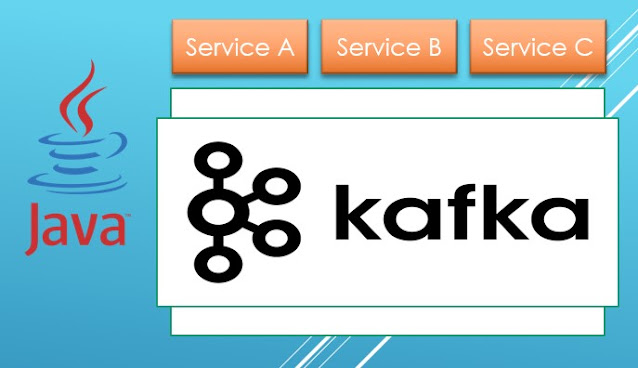
Microservice Spring with Apache Kafka Today, I want to share how to use Kafka. It's quite interesting once you get the hang of it, and I hope my explanation will make it a bit easier for you. So, Kafka is primarily known as an asynchronous messaging queuing system. This means it allows different parts of your application to communicate with each other without waiting for immediate responses. However, there are times when you might need a more immediate reply from another service in your project. Luckily, Kafka can handle this too. Here’s how it works: The client side sends a message to the server side via Kafka. This message includes a special identifier in the Kafka header request, known as KafkaHeaders.CORRELATION_ID, along with a topic where the server should respond. The server, after processing the request, sends a message back to the same topic with the same correlation ID. This way, the client knows that the message is a response to its initial request and can act accordingl...

How to start develop Spring Boot application from Notepad

Image
While writing our codes in Java is easier done using specialized Java IDE (integration development environment) like Eclipse, VS code, IntelliJ, there’s actually no requirement to make your java application. You can just write the code using any tools. The advantage of writing codes in a simple editor like notepad is the lightness of the program, when writing codes in IDE it just feels sluggish when we are typing on it. Because in Notepad, you won’t be given any code suggestions, like method, variable, class etc, so you are typing faster. It can be cumbersome for new developers writing java code in a simple editor, but it is worth a try. So, let’s do it. 1. Install notepad++ We are not going to use the default windows notepad, it’s too ancient to do basically anything, so let’ s just give you the improved version of notepad, the notepad++. You can download from the web official download page here https://notepad-plus-plus.org/downloads/ . 2. Create spring boot skeleton app Go to the pa...

What's the advantages of SOLID principle in OOP Java

Image
SOLID Principle In OOP Java As is our nature of laziness, we tend to write codes as if we don’t look for future potential disasters. As long as the codes work, it will just work fine. And I even recommend that if you are just beginner coders, you shouldn't care much about what principles you should use to write code. The first step of becoming a developer is just writing lots of code, no need for structure, or anything else, the only thing that matters is that the code works and returns output as it expected. In other words, you need to master the code's syntax, setup, debug, the environment, etc. As you gain many experiences over the years as a software developer, then you will have the sense to write better code, at this point, you start to look at design principles, design patterns etc. The Advantages of the SOLID Principle? In object oriented programming (OOP), we must know about the SOLID principle on writing better codes. But why should we use SOLID principles? - The Soli...

How to reverse string in Java without built in library

Image
Reversing string in java is available via StringBuilder class, we can use stringBuilder.reverse(), then it magically reverses the string. But like an interview task for a Java developer job, sometimes the interviewer wants you to test your algorithm ability. So we have to do it manually, but don't worry it’s not that hard to reverse a string in Java. The thing that you need to do to reverse the string is basically just split the string into arrays of characters, and then loop all those characters through the array, and combine all the array but from the back. And This is simple java code not using Java built in library that you can just copy paste for reverse a string in Java. And here’s the comparison if you want to use String builder, it’s much cleaner and if you want to do it in real life, it’s much better using this way. Java is a magical language, it’s general purpose higher level language support for developing scalable, from personal to enterprise application, with lots ...

Java error Compilation failure Source option 5 is no longer supported

Image
Java and Maven - Packaging Manager This is a very common error for a beginner java for the first-time using maven. When you are compiling your Java application using Maven dependency management version 3.6. The following error will occur. - Failed to execute goal org.apache.maven.plugins:maven-compiler-plugin:3.1:compile (default-compile) on project java-test: Compilation failure: Compilation failure: - Source option 5 is no longer supported. Use 6 or later. - Target option 1.5 is no longer supported. Use 1.6 or later. The solution is pretty simple, you just have to make sure you are using Java version 6 or higher. Then place this configuration in your pom xml.     <properties>         <maven.compiler.target>1.8</maven.compiler.target>         <maven.compiler.source>1.8</maven.compiler.source>     </properties> Now you can execute th...

Intellij Lombok Run Error Method Not Found

Image
Java Maven Project Lombok Intellij This kind of error happens to me recently when I am working with microservices Spring Boot   Java application. When I use git, I usually gitignore the “.idea” configuration so when I switch between different branches meanwhile the “.idea” doesn’t change because it is being ignored, then the IntelliJ does not configure the project correctly. The solution is simply by removing the “.idea” folder, the “.iml”, IntelliJ project configuration. And reopen the project from IntelliJ . And the “target” folder, which is your java maven project build folder, some sort of caching mechanism. Then you can open the terminal and CD to your project and simply run maven rebuild commands like the following. All you need to do right now is to clean the project and then package your maven java project. mvnw clean package Now, try to run your project using the green triangle button that is usually used for running your maven project on the IntelliJ IDEA. That’s it, I ho...

Tree Traversal in Java using Visitor pattern and For loop Example Codes

Image
Java Oracle Writing codes in Java is supposed to be reusable, it means that your code can be reused by yourself and other people working on similar things you do without rewriting the same code block  over and over. This is an example of object oriented passion on how you can use an object that could possibly have infinite children. You can use this class so you don’t need to write a loop over and over. Firstable given data person with children and grandchildren below. Now we can use for loop and visitor pattern to visit all the children recursively. 1. For loop The first example is a usual, easy to understand Example of how you write a Recursive method to visit tree traversal children using for loop. Using for loop is really really simple but Somewhat looks not an elegant way, and it could lead into bugs if you misplace variables before and after calling the recursive method. When the code gets bigger it becomes a mess. 2. Visitor Pattern And here’s the Object oriented way, usin...

Java Map And Filter, A lambda or anonymous expression example

Image
Java lambda expression  It’s been a while since JDK 8 release, since that version of Java the language, it adopted many new nicer syntax, the one that i love is the Lambda expressions.  Lambda or anonymous function can make you write in a nice looking functional one liner code, for example below is a Java way of looking for keywords if they match in an Array, true if match and false otherwise. //given array List<String> words = Arrays.asList( "foo", "bar", "cool" ); //check if 'cool' exists boolean isCool = words.stream().anyMatch(word -> word.equals("cool")); 1. Map Map objects to another value as specified by a Function object, example below to Reduce List of object Person, to just List of person names. 2. Filter Filter objects that match a Predicate object. Example below is an example to filter people with certain age. import lombok.Data; import java.util.Arrays; import java.util.List; import java.util.logging.Logger; import j...

How To Start PHP Storm Plugin Development For The First Time

Image
Phpstorm version 2020.1 I was impressed by how smart Intellij IDEA and other jetbrains IDE products can be. If you use a framework, library or tool that the IDE doesn’t support, they also provide you with an API to develop your own plugin to support that framework or tool.  Problem is, it is not as easy as flipping your hand. In fact it’s pretty much night mare, because the lack of documentation and also plugin development is usually a very complex thing, that sometimes your framework that you want to develop the plugin is radically different from the simple example they provide, so you need to figure it out yourself. Recently I learned to develop a PHP framework plugin for PhpStorm, the framework is called Codeigniter. The framework is pretty much popular in the PHP world although kind of old and irrelevant to modern web application development using PHP compared to Symfony or Laravel. But I decided to keep going and with spirits in mind that if anyone can then i’ll learn in the e...

What You Need To Know About Java Platform - For Beginner

Image
What You Need To Know About Java Platform - For Beginner Java is an amazing platform, both as a language and its JVM. The language is not that beautiful but it is concise and can be easily integrated with IDE. The VM may not be that good either, some say it's a clumpy-memory hunger program, but surely the cross-platform thing makes it fascinating. Here's some Java related terminology in Java you need to know if you are beginer in Java application development. 1. Java the language It’s a full object oriented language, which means everything must be written in a class style. So after the class is initiated then you treat them as an object where you can do some operation using its properties and methods. 2. JDK (Java Development Kit) JDK is a set of tools mainly for compiling Java code into binary JVM bytecode. So then you can ship your product in a binary either JAR or WAR after your code is successfully compiled by the javac command included in JDK. 3. JVM (Java...

Java IDE Options For Beginner And Pro Java Programmers

Image
Java IDE Intellij, Netbeans, Eclipse, VS Code Programming in Java can be easily done with just a text editor, because the Object oriented style, and namespace, etc, make it's hard to write all the codes by our hand, we need a little bit of help of an IDE, often we need very advanced IDE in order to make it easy for the development process. Unlike an interpreted language like Python, which you don't need to compile it to test the results, so every code changes you can look the output right away, Java is compiled language, it's gonna be time consuming if you are not using any tool, so every small changes you should compile it first to know the exact results. With IDE, they will tell you a usually red notification if there's an error on your codes so before you compile the code you can fix it first. Below are some JAVA IDE options you can choose for your Java development IDE. 1. Intellij IDEA In my opinion the best Java IDE in the world, and probably the best ID...

Java SE & Spring Packages, Java Coding Without IDE

Image
Oracle Java Logo Transparent For me the difficult aspect of coding in Java without IDE is to know the package location of some class we are going to use. Even  something like spring annotations we use it regularly in web development, it is hard to find the locations. 1. Just using asterisk The hardest part of doing Java programming is to remember the package location, because there's gonna be so many classes you're gonna use along the way your programming. You only need to remember the package location. A. Java SE Packages Here's some most used Java standard package location: java.beans Contains classes related to developing beans -- components based on the JavaBeans™ architecture. java.beans.beancontext Provides classes and interfaces relating to bean context. java.io Provides for system input and output through data streams, serialization and the file system. java.lang Provides classes that are fundamental to the design of the Java programming...

Popular posts from this blog

How To Create Phpinfo to List What PHP Configuration Have

Coding On Your Android Phone Using Termux

How to Install Microsoft Office on Your PC: A Step-by-Step Guide